
How to generate content ideas with Scouty
Updated November 2, 2026
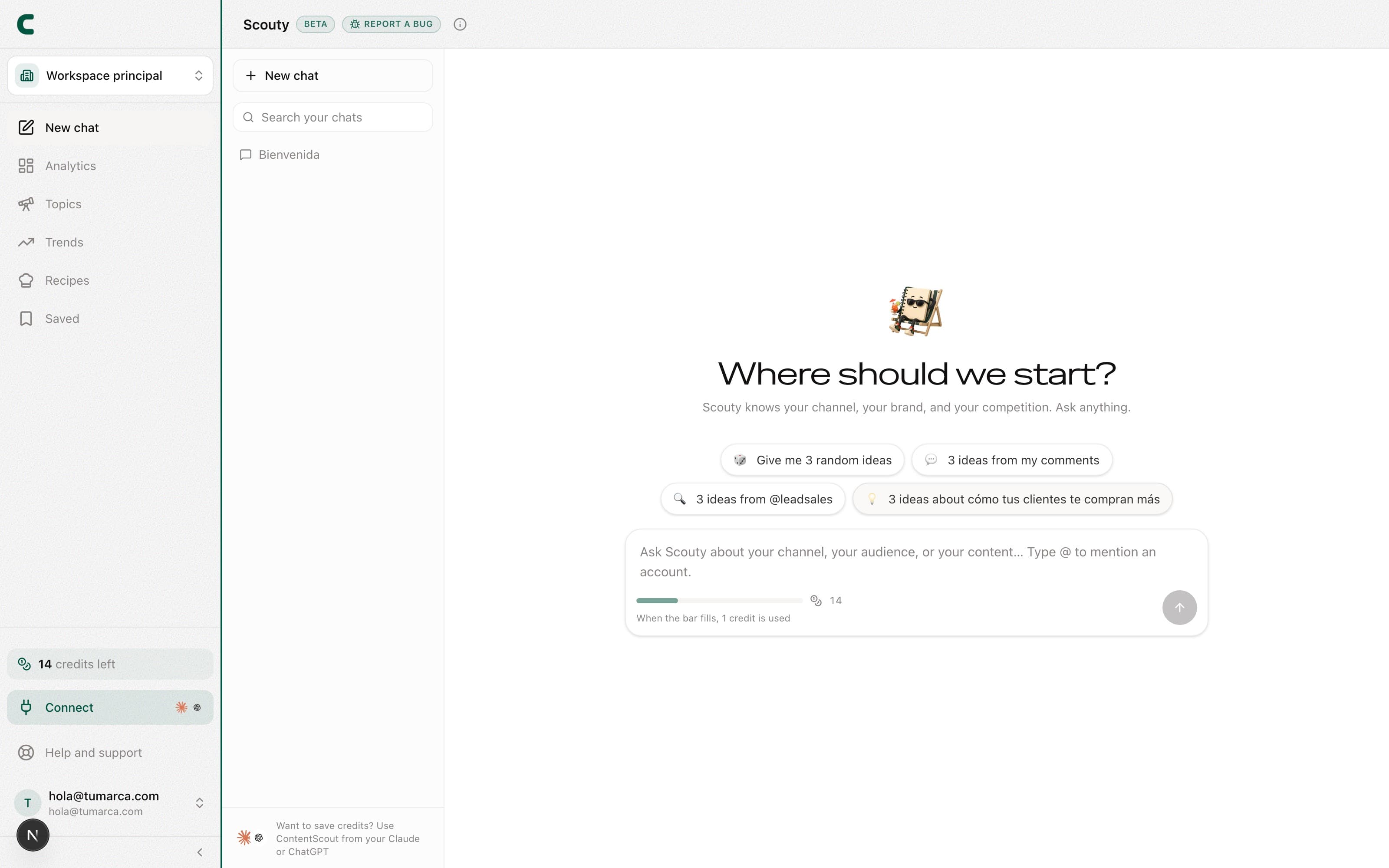
Content ideas are generated by talking with Scouty, ContentScout's assistant. Tap Ask Scouty at the top of the sidebar and ask for ideas in your own words: Scouty answers with your real data (your accounts, your competitors, your audience), never generic advice.
Ask for ideas in the chat
Open a new chat
Tap Ask Scouty, the button at the top of the sidebar, or use the ⌘K shortcut (Ctrl K on Windows). When it opens you'll see suggestion chips, like "3 ideas from my comments", in case you'd rather start with one tap.
Type what you need
Ask for ideas in your own words: "give me 5 ideas for this week", "ideas around what my audience keeps asking", "something in the style of my best posts".
Mention accounts with @
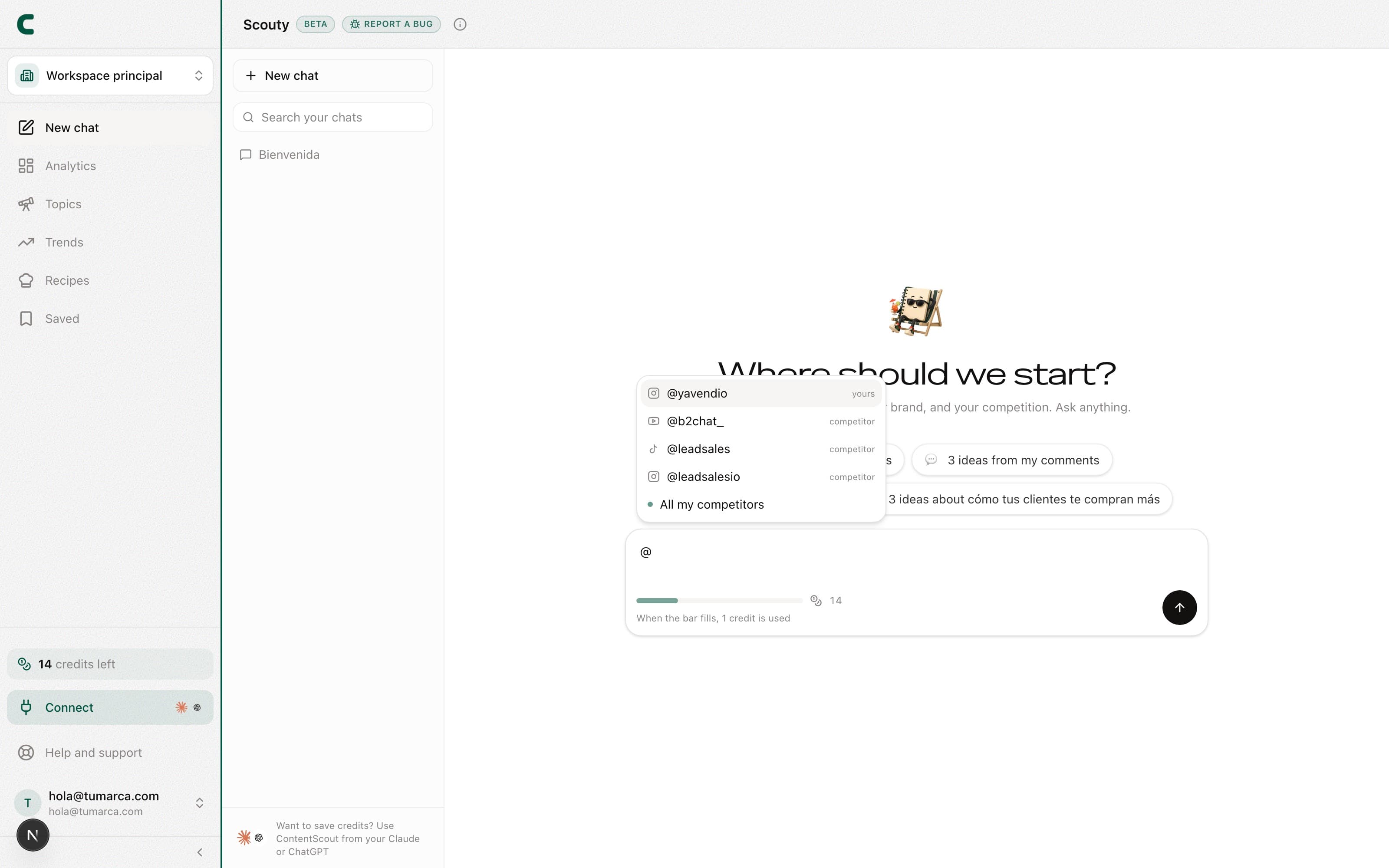
Type @ in the composer to point at a specific account: the menu lists your accounts (marked as "yours"), your competitors, and the All my competitors option.
Ideas arrive as cards
Each idea shows up in the chat as a card with everything you need to decide:
- Title and description: the idea's angle, ready to judge at a glance.
- Why this idea: the evidence behind it, with your content pillar tags.
- References (N): the real posts it's built on; open them to see the source.
- Create outline: generates that idea's production structure as a short video, long video, carousel, or Stories, and from it the full script. It does not use credits.
- Save icon: sends the idea to Saved to produce later.
Your first analysis leaves a welcome conversation with your first ideas already waiting. Open it from the chat and pick up the conversation from there.
Scouty goes beyond ideas
Because Scouty works with your real data, you can also ask it to filter by period ("my last 3 days"), show your real growth chart, list your accounts, or bring competitor posts in as cards. Answers cite their sources with pills. And it also does things for you, always with a card you confirm: it saves to Saved, tracks accounts and posts, creates keywords, edits your bio or your strategy, or generates transcripts and analyses with their price on the card. See what Scouty can do for you.
Credits and the monthly limit
Chatting with Scouty does not use credits: it only charges for what you confirm on a card that shows its price, like a Deep Scroll (50 credits) or a transcript. The chat has a monthly usage limit by plan: Scouty lets you know in the thread when you have used 80%, and if you reach it, it tells you the day it opens again (with your next billing cycle).
The chat is in BETA: you'll see the badge next to Scouty's name. If something breaks, the Report bug button opens the support form with the category preselected.
Frequently asked questions
Where do my generated ideas live?
In the conversation where they were born. The ones you save with the save icon also land in Saved, ready to produce.
Why this idea and not another?
Each card carries its "why this idea" section with evidence and References (N) listing the real posts behind it. Nothing comes out of thin air.
Does generating ideas spend credits?
Chatting with Scouty does not use credits; it has a monthly usage limit by plan. Creating an idea's outline doesn't use credits either, and counts toward that same limit.
Was this article helpful?
Related articles
- What Scouty can do for youScouty doesn't only read your data: ask it to save, track, create keywords or change your bio, and it does it when you confirm its card. The ones that cost credits show you the price first and only charge when you tap the button.
- How to write the full script of an ideaScouty writes the script from an idea's outline: what you say to camera, the on-screen text and the shooting notes, as a short video, long video, carousel or Stories.
- How to react to your ideas: like, dislike, and saveTeach Scouty what you want more of: react to idea cards in the chat or in Saved, and your next ideas sharpen with that feedback.
- How to use Recipes to create in your styleA recipe captures a voice and a structure that work: generate one from your own posts or from a profile link that inspires you, and pin it to guide your outlines.
- How to organize everything you keep in SavedSaved gathers your notes, your saved ideas, your outlines, and the posts you import by link, with type and date filters to find everything fast.
Didn't find what you were looking for?
Reach us from the app via the Help button at the bottom of the menu and we'll reply by email.