
How to manage or cancel your subscription
Updated October 17, 2026
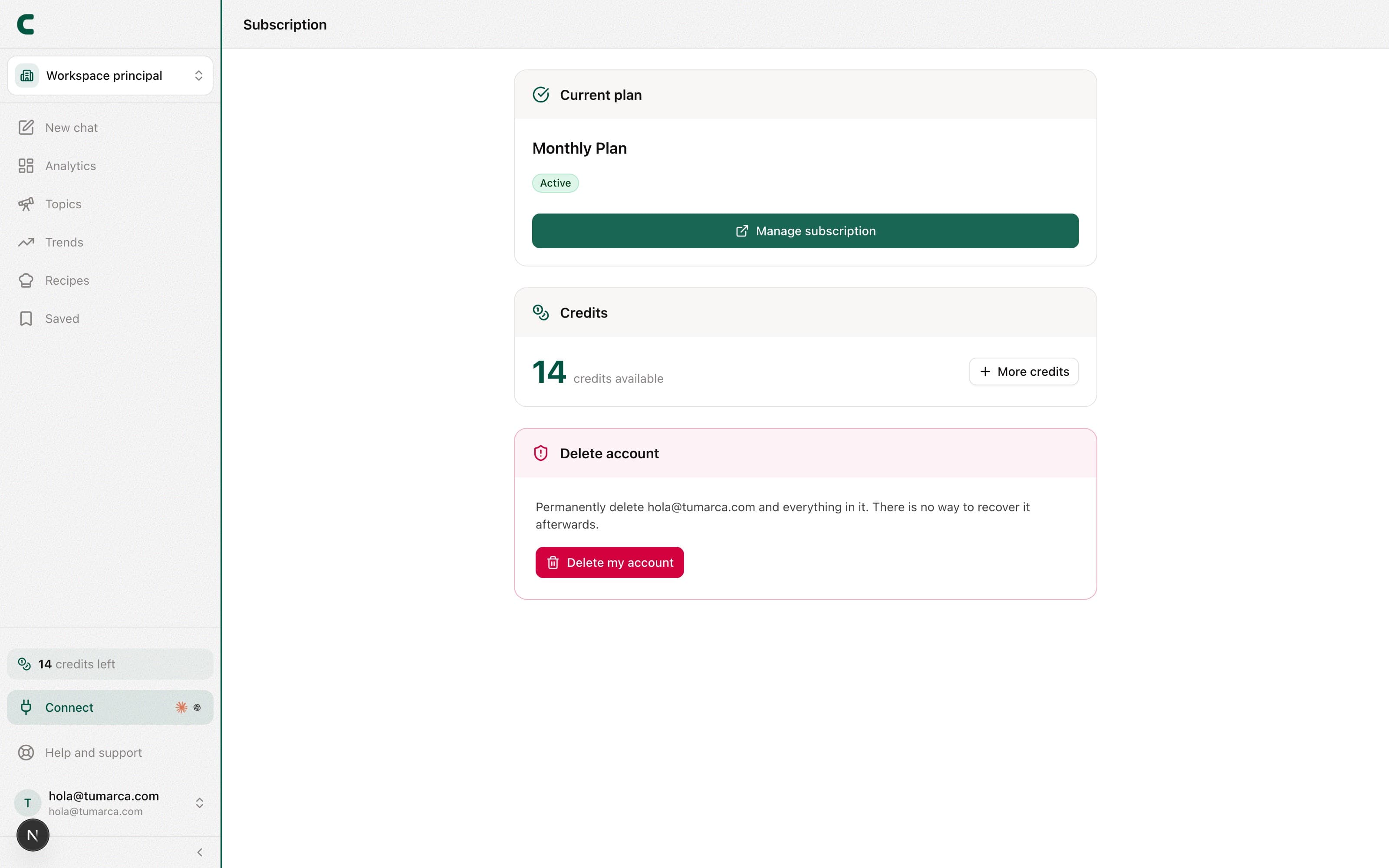
Everything about your plan lives on the Subscription page, which you open from your user menu: tap your name at the bottom of the sidebar. There you see your current plan, how many credits you have left, and access to manage your billing.
See your plan and credits
The top of the page shows your current plan (monthly or annual), your next billing date, and your credit balance. If you need more credits before the next cycle, you can buy an extra pack from here.
Change your payment method
Use Manage subscription to open your billing, where you can update your card and review your payment details.
Cancel your subscription
You can also cancel from Manage subscription. Cancellation is scheduled for the end of the period you've already paid for: you keep full access until that date and won't be charged again.
If there's a payment problem
If we couldn't process your last payment, you'll see a Payment issue notice. Your access continues while it's being resolved. To fix it, update your payment method with the Fix payment button or from Manage subscription.
Your invoices are in the Billing section of the same page: from there you manage your invoices and payment methods.
Delete your account
If you want to leave for good, the option to delete your account also lives on the Subscription page. It's a permanent action: it removes your personal data and your workspaces, and it can't be undone.
Deleting your account is not the same as canceling your subscription: canceling stops the charges and keeps your content; deleting removes your account and your workspaces forever.
Frequently asked questions
If I cancel, do I lose access right away?
No. You keep full access until the end of the period you've already paid for; cancellation takes effect on that date.
Can I resubscribe after canceling?
Yes. From the Subscription page you can pick a plan again anytime to reactivate your access.
Was this article helpful?
Related articles
- How the free days, plans, and credits workUnderstand what your 5 free days include, which actions use credits (analyses and transcripts; the chat and outlines don't), and where to watch your balance.
- How to use multiple workspaces for your brandsEach workspace is a separate brand, with its own accounts, competitors, analytics, and ideas. Here's how to switch between them and how they're billed.
Didn't find what you were looking for?
Reach us from the app via the Help button at the bottom of the menu and we'll reply by email.