
How to organize everything you keep in Saved
Updated November 2, 2026
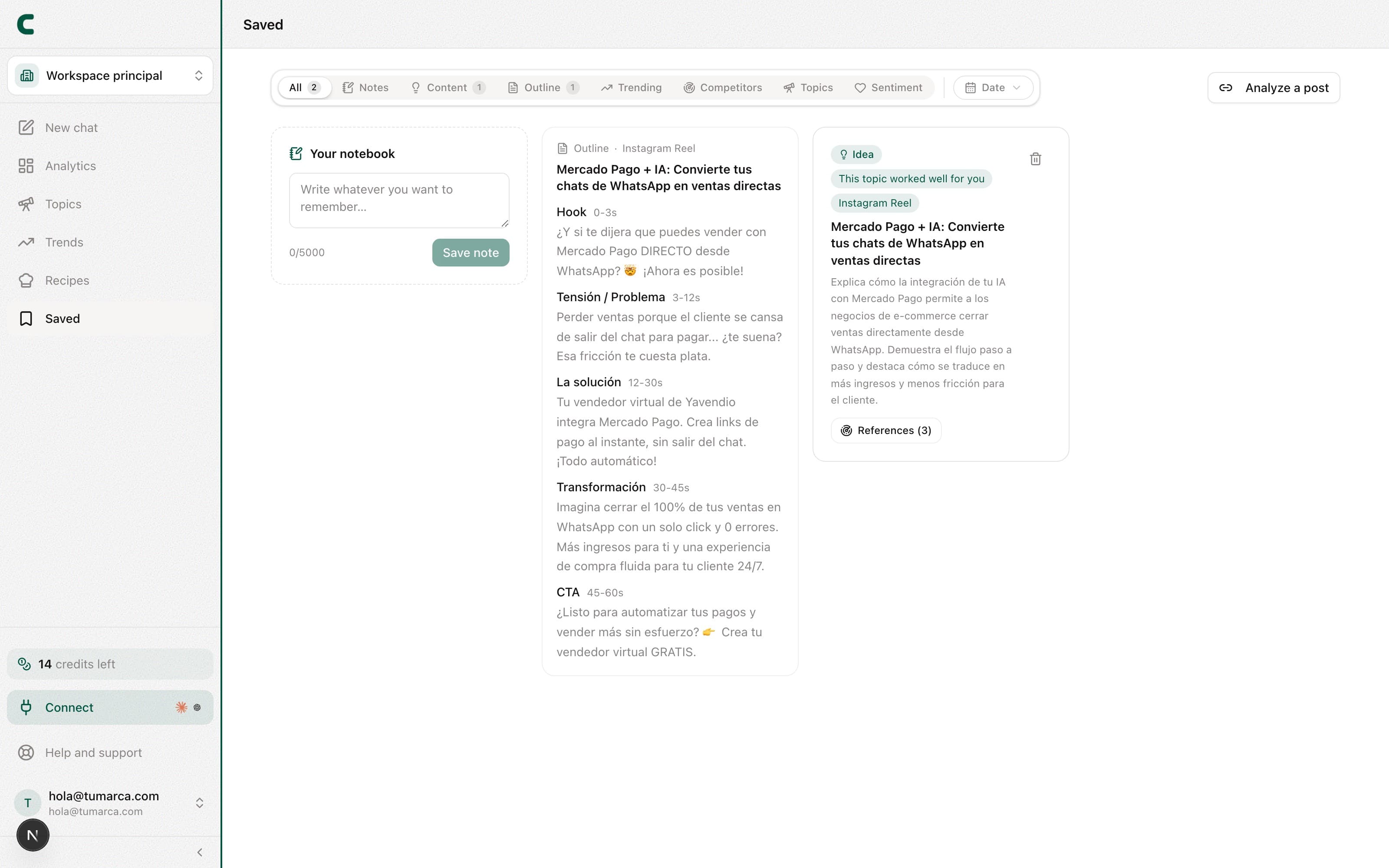
As you talk with Scouty and research, you'll want to hold on to what works. It all lives in Saved: one place with your notes, your saved ideas, your structures, and the posts you import.
What's in Saved
- Notes (Your notebook): loose thoughts, references, and reminders you write yourself.
- Saved ideas: the ideas you bookmarked with the save icon in the chat.
- Structures and outlines: the production outlines you created from your ideas.
- Imported posts: the posts you analyzed by pasting their link.
You can also ask Scouty in the chat to save something it showed you (a competitor's outlier, a keyword post or one of your posts, a trend, a comment topic or an idea) or a note you dictate, or to remove something from Saved: it shows you a card and nothing changes until you confirm it. Removing a note or an idea cannot be undone. See what Scouty can do for you.
Find something fast
Above the list you have type filter chips (notes, ideas, structures, posts) and a date filter. Combine them to jump straight to what you're after.
Analyze a post by link (paid plans)
In the filter row you'll find the Analyze a post button: paste the link of any Instagram, TikTok, or YouTube post and Scouty analyzes it in depth. The result stays in Saved, next to the rest of your imported posts.
What you save also feeds Scouty: when generating new ideas, it takes into account what you marked as relevant to you.
Was this article helpful?
Related articles
- How to generate content ideas with ScoutyIdeas are now born in the chat: ask Scouty in your own words, mention your accounts with @, and get ideas backed by real evidence.
- How to react to your ideas: like, dislike, and saveTeach Scouty what you want more of: react to idea cards in the chat or in Saved, and your next ideas sharpen with that feedback.
- What Scouty can do for youScouty doesn't only read your data: ask it to save, track, create keywords or change your bio, and it does it when you confirm its card. The ones that cost credits show you the price first and only charge when you tap the button.
Didn't find what you were looking for?
Reach us from the app via the Help button at the bottom of the menu and we'll reply by email.