
How to analyze any post by pasting its URL
Updated November 2, 2026
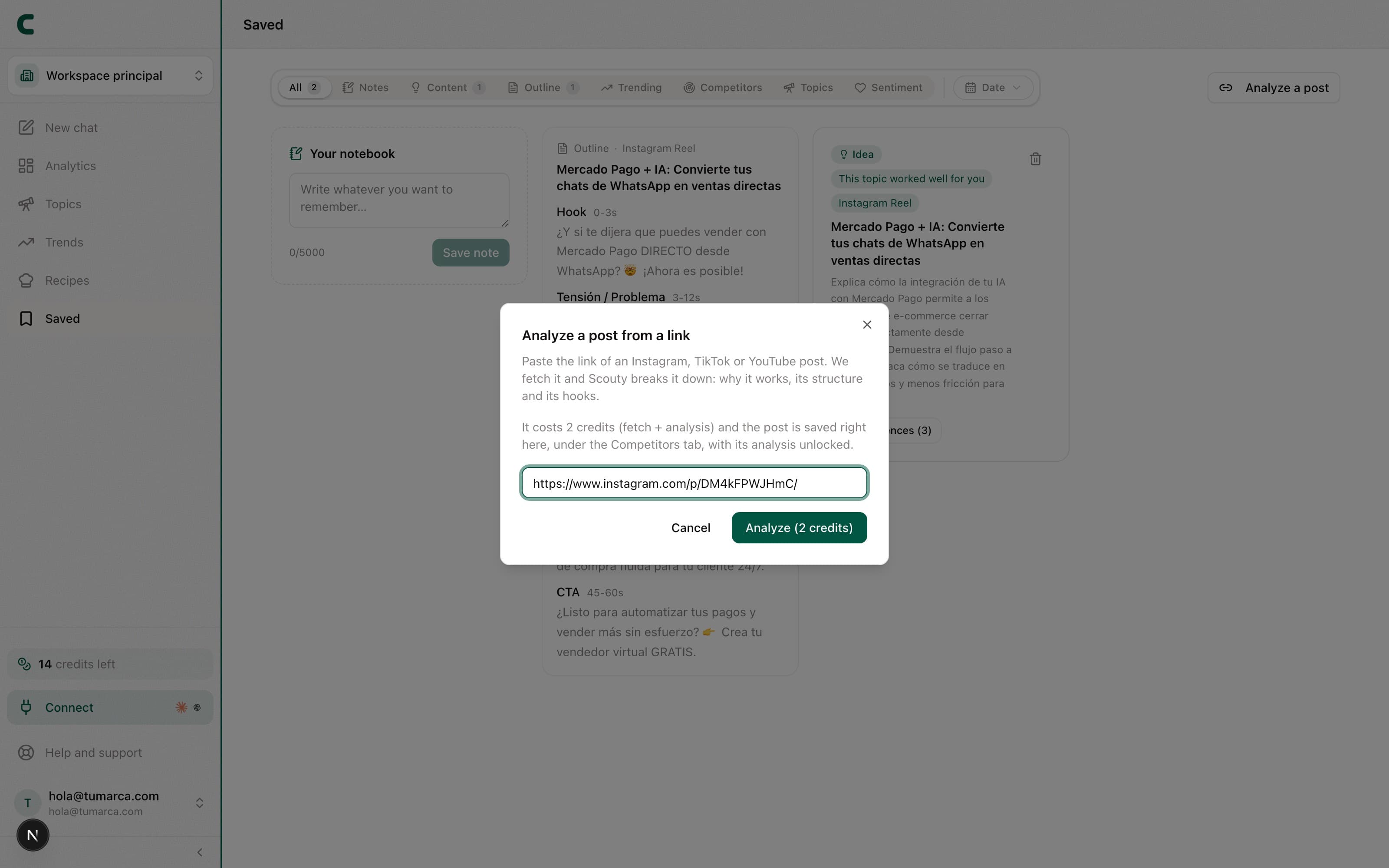
Not everything that inspires you comes from the accounts you track in ContentScout. With Analyze a post you can paste the URL of any Instagram, TikTok or YouTube post and Scouty analyzes it in depth: the hook, why it works, and why it's relevant to you. It's included in every paid plan.
Import a post step by step
Go to Saved
The Analyze a post button sits in the filter row, and opens the dialog to paste the link.
Paste the post URL
Works with Instagram, TikTok and YouTube posts and videos.
Confirm the analysis
It's charged in credits, and you'll see the cost before confirming.
Read the result
Scouty breaks down the hook, why it works, and why it's relevant to you based on your creator profile.
The analyzed post stays in Saved, next to your notes and ideas, so you can come back to it anytime without paying again.
Frequently asked questions
Can I import the same post twice?
No need: if you already imported it, ContentScout lets you know and shows you the one already in Saved, with its full analysis.
Which platforms are supported?
Instagram, TikTok and YouTube. Pasting a URL from another platform shows an invalid-URL error.
I don't see the "Analyze a post" button.
It's included in every paid plan: it unlocks with an active subscription from Subscription.
Can I ask Scouty to do it?
Yes: give Scouty the link in the chat and ask it to analyze it. It shows you a card with the price on its button and you're only charged when you confirm it; if the post was already in Saved, it tells you so without charging.
Was this article helpful?
Related articles
- How to track your competitors and see what works for themTrack competitors from the Tracking table and each one gets its own full analytics: their pillars, hooks, posts and comments. And an all-competitors view shows you just their outliers.
- How to unlock a post's transcript and analysisTurn any outlier or post you're researching into a lesson: pull its transcript or break down why it worked. Each unlock is charged in credits once and stays yours forever.
Didn't find what you were looking for?
Reach us from the app via the Help button at the bottom of the menu and we'll reply by email.