
How to complete your Creator Identity
Updated November 2, 2026
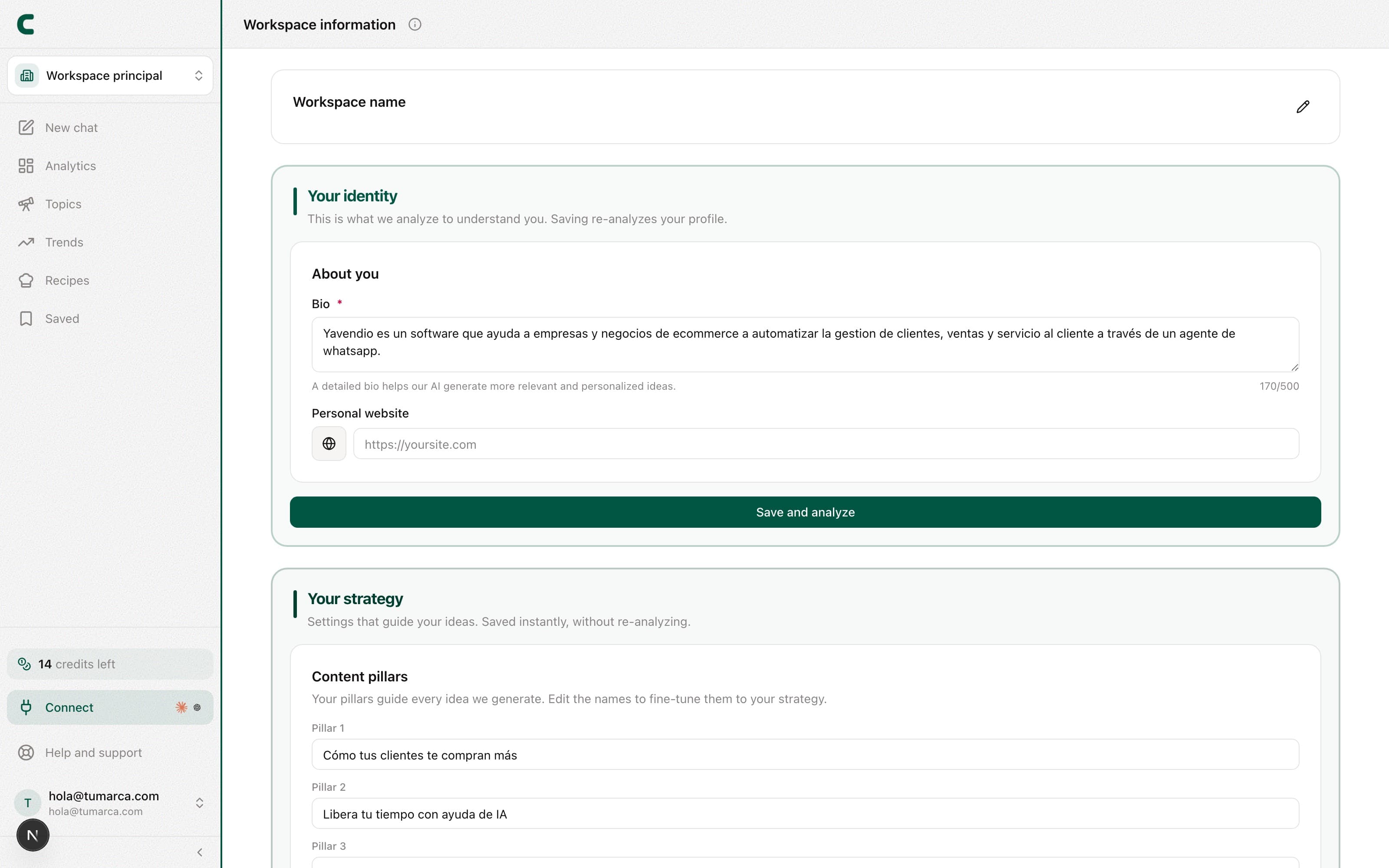
The Creator Identity page (in your user menu, at the bottom of the sidebar, it shows up as Workspace information) is where you tell ContentScout who you are as a brand. It's the foundation of your ideas, your audit, and Scouty's answers: the more you share, the more accurate the recommendations become.
Your accounts are no longer managed here. Your own networks and your competitors are tracked from the Accounts tab in Tracking, with the "Track account" button. This page is your brand only.
What you can fill in
- Bio: who you are as a creator and what content you make.
- Content pillars: the topics that guide every idea we generate and that your audit measures against.
- Audience actions (CTAs): the goals we personalize your strategy around.
- Audience: who you create for and where they follow you from, to fine-tune trends and suggestions.
You can also ask Scouty in the chat, like "change my bio to…" or "rename my Finance pillar to Savings": it shows you a card with the change and nothing is saved until you confirm it. From the chat it changes your bio (and re-analyzes your profile), renames your pillars and changes your CTAs or your audience countries. See what Scouty can do for you.
The completeness pill
On your own accounts' screens in Tracking you'll see a pill like "Profile X% · Complete". It's the share of your Creator Identity you've filled in, and tapping it brings you straight here to finish what's missing. It never shows on a competitor: it's about your brand only.
Do I have to fill everything in at once?
No. Start with the essentials and come back whenever you want. The completeness pill shows how much is left to get the most out of the AI.
Where do I add my networks or my competitors?
From the Accounts tab in Tracking, not from this page. There you can see your tracked-account allowance, which you split however you want between your own and your competitors', and grow it with extra slots from Subscription.
Was this article helpful?
Related articles
- What is ContentScout and how does it help me?ContentScout is your content-intelligence hub: it analyzes your accounts and your competitors', audits your profile, and generates ideas by chatting with Scouty.
- How to track your competitors and see what works for themTrack competitors from the Tracking table and each one gets its own full analytics: their pillars, hooks, posts and comments. And an all-competitors view shows you just their outliers.
- How to read your Tracking dashboardTracking opens on the table of your accounts and competitors. Tap any row and you get that account's full overview: metrics, pillars, hooks, posts and comments.
Didn't find what you were looking for?
Reach us from the app via the Help button at the bottom of the menu and we'll reply by email.