
How the free days, plans, and credits work
Updated November 2, 2026
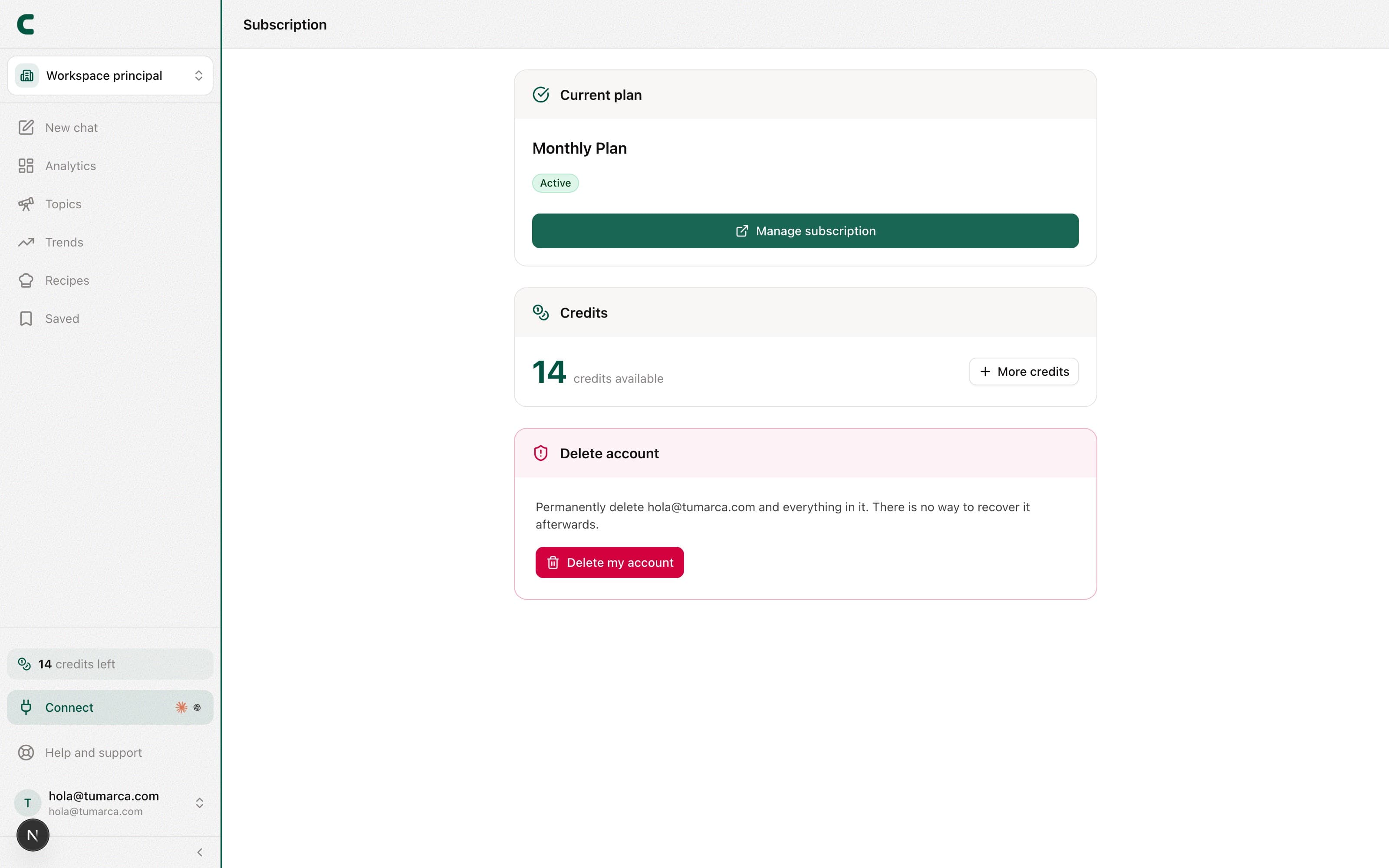
ContentScout uses credits for the AI-powered actions and gives you a few free days when you start. Here's how the free window, your plan, and your credits fit together.
Your first 5 free days
When you create your account you get 5 free days, with credits included to explore the AI analyses. We ask for your card up front, but nothing is charged until they end: then your plan activates automatically for the amount and on the date you see in Subscription, and you can cancel before that from there. During the trial you use the plan you chose, with all of its features and limits from day one. If you want more capacity, you can upgrade your plan from Subscription without paying anything until the trial ends: that day you're charged for the new plan.
The only thing capped during the trial is that you can't stop tracking anything until it ends: no accounts, posts or keywords. The reason is cost: every add pulls fresh data, so a connect/disconnect loop would be a way around your plan's limits.
Tracked the wrong account? Write to us from “Help and support” and we'll swap it without waiting for the trial to end.
What uses credits
Credits are the balance you spend on AI actions:
- The chat with Scouty: does not use credits. It has a monthly usage limit by plan; Scouty lets you know at 80% and it opens again with your next billing cycle. It only charges for what you confirm on a card that shows its price, like a Deep Scroll (50 credits) or a transcript.
- Deep analysis of a post: the full breakdown of a specific post.
- Transcripts: the full text of a video post.
- Outlines: the production structure you create from an idea does not use credits. It counts toward the same monthly limit as the chat and comes in four formats: short video, long video, carousel, and Stories.
Per-item unlocks are permanent: re-opening a transcript or analysis you already paid for never costs credits again.
Pick your plan
From the Subscription page you pick and activate your plan; there you see the exact prices, the credits and what each plan includes: for example, your competitors' Meta ads come with the Pro and Ultra plans. On that same page you also manage your extra slots and your workspaces.
You may sometimes see a launch offer ribbon at the top of the dashboard: it's a discount on your first payment. If it shows up, the details are right on the ribbon.
Watch your balance
Your balance is always visible: at the bottom of the sidebar, under your name (N credits · Plan); tap it and your user menu shows your credits and, if you manage billing, the Top up button. You also see it on the Subscription page. When you're running low on credits, Subscription warns you so you're not caught halfway.
Was this article helpful?
Related articles
- How to manage or cancel your subscriptionFrom the Subscription page you can see your plan and credits, change your payment method, cancel anytime, and review your invoices.
- How to use multiple workspaces for your brandsEach workspace is a separate brand, with its own accounts, competitors, analytics, and ideas. Here's how to switch between them and how they're billed.
Didn't find what you were looking for?
Reach us from the app via the Help button at the bottom of the menu and we'll reply by email.