
What is ContentScout and how does it help me?
Updated November 2, 2026
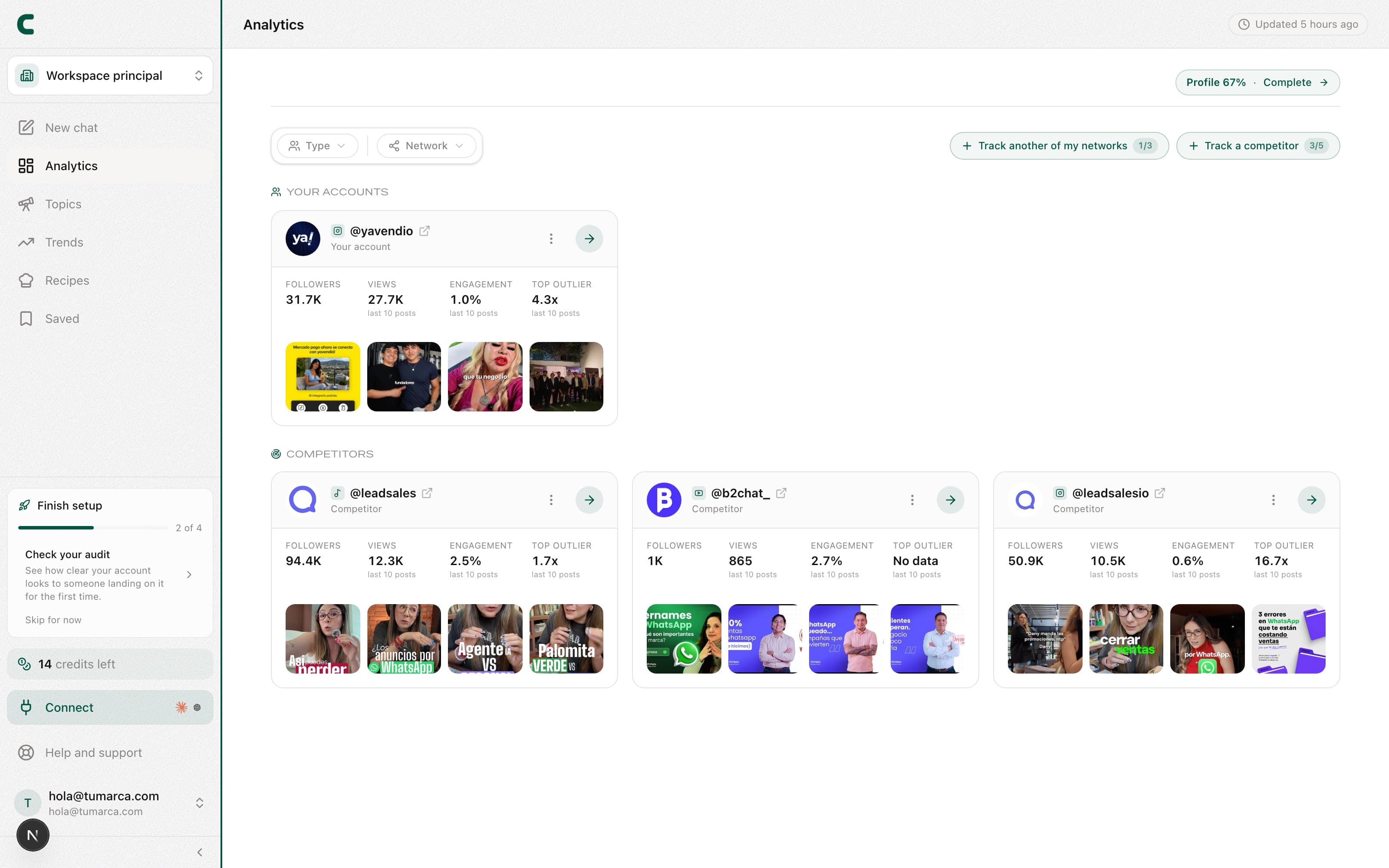
ContentScout is a content-intelligence tool for creators. Instead of showing you scattered metrics, it crosses your own data with what your competitors are doing and what's rising in your niche, then turns it into something you can act on: what's working, how your audience feels, and what to post next.
The center of creation is the chat with Scouty: ask it for ideas, for your numbers, or about a competitor, and it answers with your real data, citing its sources. Ideas show up as cards ready to save or turn into an outline. And you can also ask it to do things for you, like saving an outlier to Saved, tracking an account or creating a keyword: it shows you a card and it happens when you confirm it. See what Scouty can do for you.
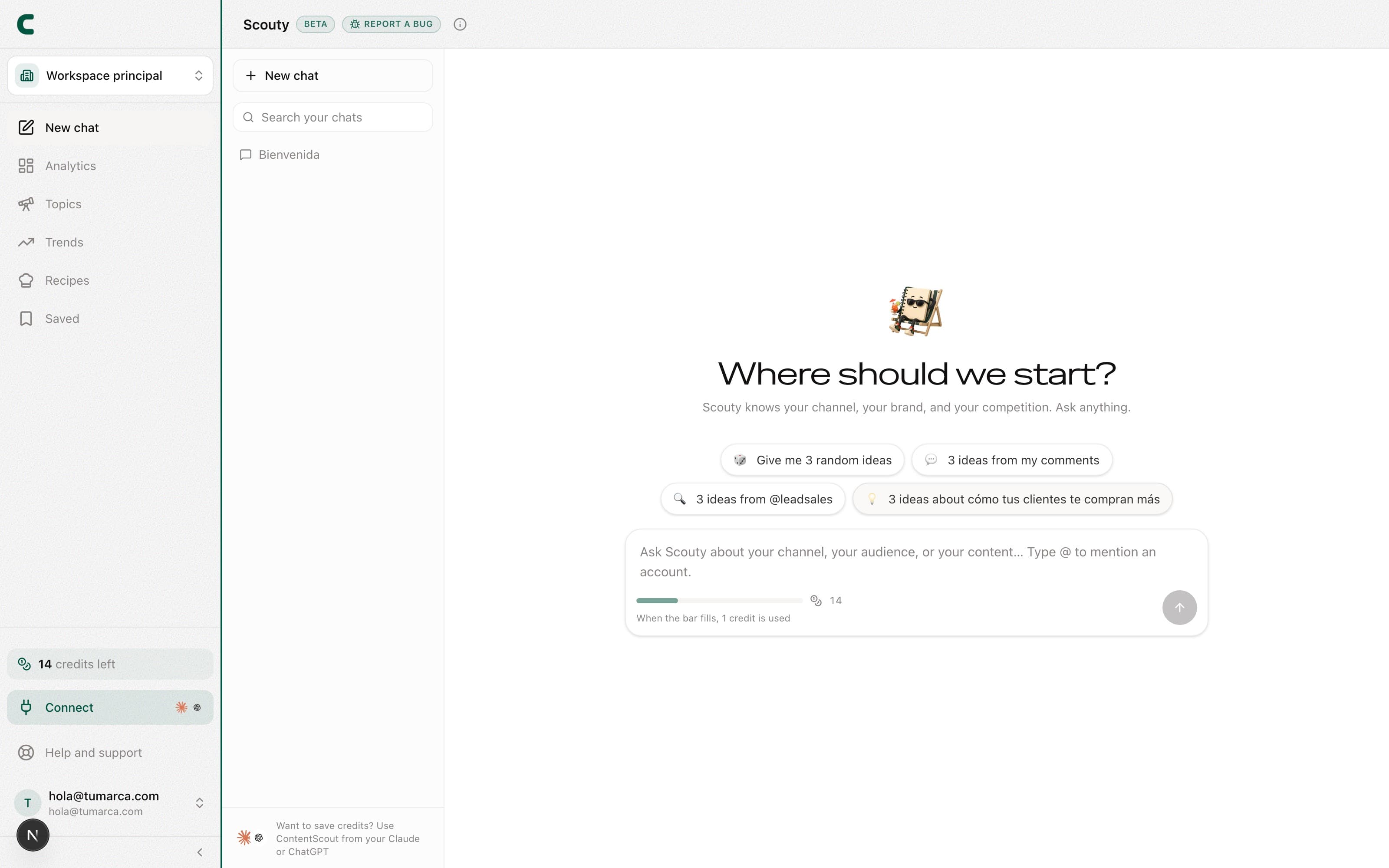
The areas of the product
The sidebar starts with the Ask Scouty button and groups the rest into three blocks: analyze (Tracking, Insights), discover (Trends, Viral library, Recipes) and execute (Campaigns if your account has them enabled, Saved and Connect to Claude / GPT). These are the sections you'll use most:
- Ask Scouty (or ⌘K / Ctrl K): opens a new chat with Scouty to generate ideas, ask for charts, or review competitor posts. Type @ to mention any of your accounts.
- Tracking: three tabs, Accounts, Tracked posts and Keywords. It opens on Accounts, a table with your networks on top and your competitors below. Tap a row to see its views: Overview, Audit (your own accounts only), Comments, Posts, and Ads (Instagram accounts).
- Audit: a tab on your own accounts inside Tracking. A 0-100 score of how your public profile reads and how you execute, with a checklist and actionable advice. It recalculates every 24 hours.
- Trends: curated viral formats, hashtags and audios that are performing, and topics rising in your niche.
- Recipes: extract the winning style and structure of other creators and apply them to your ideas.
Whatever you like gets kept in Saved: your notebook, your ideas, your outlines, and the posts you import to analyze.
Where to start
Let your initial analysis run, complete your Creator Identity (your bio, pillars, and audience), and open the chat to ask Scouty for your first ideas. The next articles walk you through it step by step.
Was this article helpful?
Related articles
- How to complete your Creator IdentityCreator Identity is your brand's profile: bio, pillars, CTAs, and audience. The more complete it is, the better the AI's ideas and recommendations.
- What to expect from your first analysisAt signup you pick one of your networks and one competitor, and ContentScout starts your initial analysis on its own. Within a few minutes, Scouty shows you a comparison of your two accounts and you land on Tracking with everything ready.
- A daily routine with ContentScoutA quick pass through Tracking, your audit, and the trends before talking to Scouty gives you fresh context to create better.
- What Scouty can do for youScouty doesn't only read your data: ask it to save, track, create keywords or change your bio, and it does it when you confirm its card. The ones that cost credits show you the price first and only charge when you tap the button.
Didn't find what you were looking for?
Reach us from the app via the Help button at the bottom of the menu and we'll reply by email.