
How to use Trends
Updated October 17, 2026
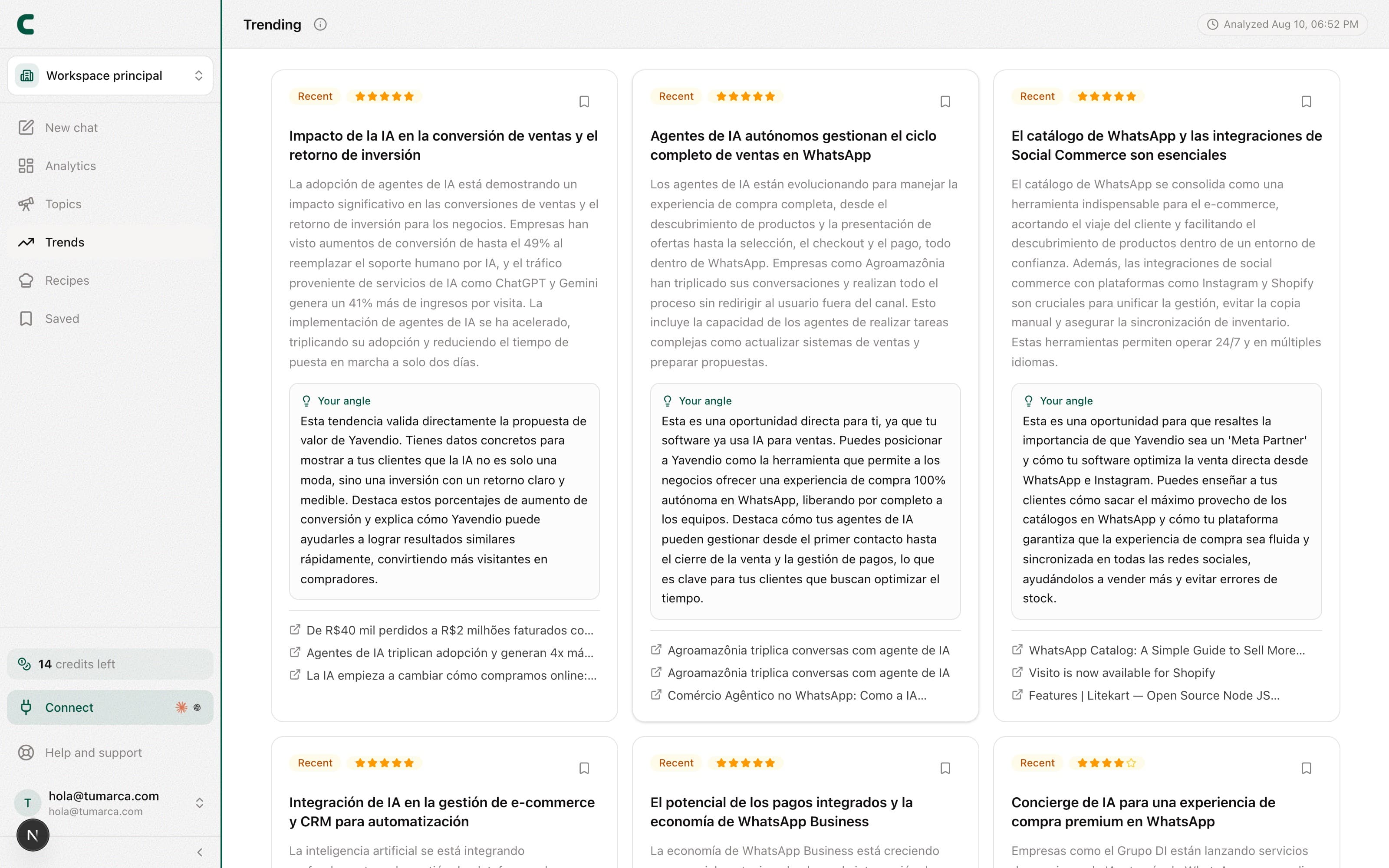
Trends answers four different questions, one per tab: what format is working, what to tag your post with, what audio to use, and what your niche is talking about. Publishing while something is rising, instead of once it's saturated, is one of the simplest ways to gain reach.
The four tabs
- Viral trends: formats the ContentScout team picks by hand, each with example posts that show it working. It doesn't come from your data, it's editorial judgement. Don't confuse it with the Viral library: here it's a handful of chosen formats, there it's thousands of posts to filter.
- Hashtags: your niche's leaderboard, ranked by the views the viral posts using each tag racked up.
- Audios: which sound to use, from two boards you can toggle between. One is the audios the most viral posts in your niche used; the other is what is playing in TikTok's feed right now.
- Topics: what your niche is talking about, with a suggested angle and sources to validate it.
The page opens on Viral trends when formats are published. If there are none yet, it opens on Hashtags.
Hashtags: how to read them
Each tag shows how many viral posts used it, how many views those posts added up to, and which networks it appeared on. The default sort is by views, not by post count: a tag on three posts that did millions says more than one on twenty posts that never took off. You can copy a single tag or the whole set with one button.
The niche is picked from your brand profile automatically, and you can switch it from the filter to see what works in another category.
Audios: two boards that measure different things
The tab opens on Audios in your niche, and the toggle switches to Trending right now. They are not the same list sorted differently: they answer different questions, and mixing them up can have you betting on the wrong sound.
- Audios in your niche: the ones the most viral posts in your category used over the last 30 days, ranked by the views those posts pulled. It answers "what worked for people like me", not "what is blowing up now".
- Trending right now: the ones reappearing in TikTok's trending feed. Since no official sounds ranking exists, we build one by counting: every time we refresh the feed we note which show up. Seen Nx is how many separate refreshes it appeared in; New means we spotted it for the first time, an early signal and not a confirmed trend.
For TikTok audios, the card's button opens the sound page, which is where the option to use it lives. Instagram audios open a sample reel instead, because IG has no equivalent page. On your niche's board the niche filter is searchable, in case you want to peek at another category.
How to use it
Go to Trends
Pick the tab for what you need to solve: format, tags, audio or topic.
Look at the examples before deciding
Viral formats and hashtags both carry real posts. Open them: they beat any description.
Save the topics you'll use
Topic cards have a bookmark and go to Saved.
Turn it into content
Ask Scouty in the chat for ideas on a format, an audio or a topic. Scouty reads all four tabs, so you can just ask which hashtags suit you.
Frequently asked questions
How often does it update?
Topics are detected every 24 hours. Hashtags and your niche's audios are recomputed hourly over the viral content we already hold, and that content comes in several times a week. Trending-right-now audios refresh once a day. Viral formats are published by hand, on no fixed schedule.
Which of the two audio boards should I look at?
Start with your niche's: it is evidence the sound worked on content like yours. Trending right now is for getting early to something that is only starting to move, with more risk it does not fit what you make. Mind the nuance: the first measures accumulated views, the second measures reappearances in the feed. An audio high on one may not be on the other at all.
Why isn't my niche in Hashtags?
The leaderboard is computed over our viral-post library, which we keep expanding category by category. If yours isn't in yet, you'll see the closest one and can switch from the filter.
What's the difference between Topics and Viral trends?
Topics is what's being talked about, detected automatically in your niche. Viral trends is how it's told: a specific format, picked by hand, with examples that prove it.
How is this different from the Keywords section?
Trends surfaces what's rising in your niche on its own. In the Keywords section you search any keyword yourself, whenever you want.
Do past trends stay around?
The list refreshes with each analysis. If a topic interests you, bookmark it to keep it in Saved even after the list changes.
Was this article helpful?
Related articles
- How to listen to keywords on TikTok, Instagram, and YouTubeListen to any subject, not just accounts: search keywords across TikTok, Instagram, and YouTube and find the posts and creators that own it.
- How to generate content ideas with ScoutyIdeas are now born in the chat: ask Scouty in your own words, mention your accounts with @, and get ideas backed by real evidence.
Didn't find what you were looking for?
Reach us from the app via the Help button at the bottom of the menu and we'll reply by email.