
How to use Recipes to create in your style
Updated November 2, 2026
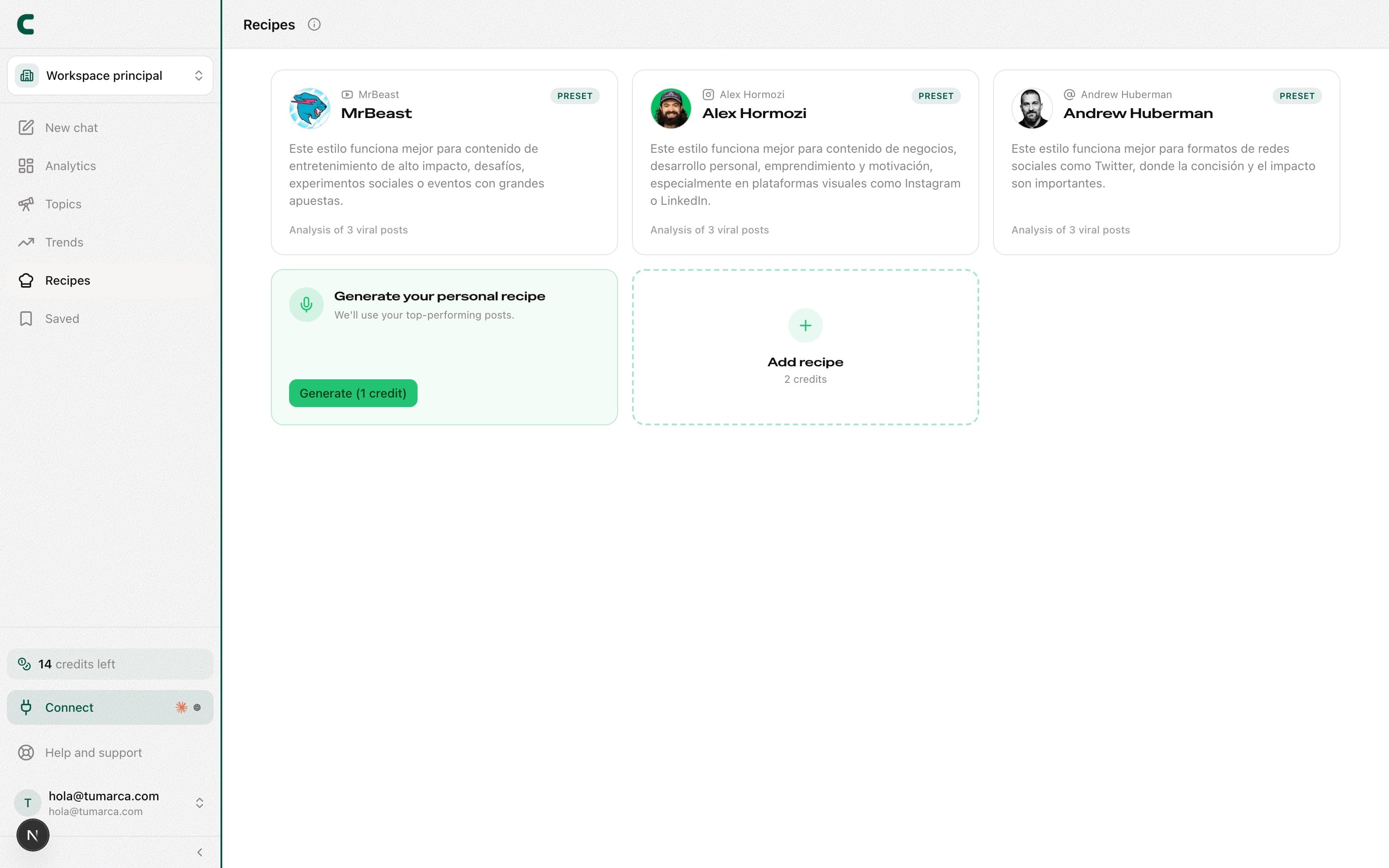
Recipes is the tool for capturing a voice and a style that work, and reusing them in your content. A recipe stores the tone, hooks, and structure of a set of posts, ready to apply every time you produce something new.
Where a recipe comes from
- From your own posts: we generate the recipe from your best content to capture your voice.
- From a profile link: paste the link of a profile that inspires you and the recipe extracts its style and structure.
Besides your own, in Recipes you'll find a separate group of preloaded recipes: ready-made formulas to use while you build yours.
Pin a recipe for your outlines
Go to Recipes
Browse your recipes, the preloaded ones, or generate a new one.
Open it to get to know it
Each recipe shows the style and structure it captured.
Pin it
The pinned recipe shapes the outlines Scouty creates from your ideas: they come out with that tone and structure.
Recipes is included in every paid plan: it unlocks with an active subscription from Subscription.
Frequently asked questions
How many recipes can I pin at once?
One. The pinned recipe guides your outlines until you change it; switch it whenever you want.
Can I create a recipe from any profile?
Yes: paste the profile's link and the recipe extracts its style. Use it as inspiration, not to copy someone else's content.
Can I ask Scouty to do it?
Yes: ask Scouty in the chat to create a recipe from a creator's profile, generate your own voice one or delete one you created. It shows you a card, and the ones that cost credits carry the price on their button and are only charged when you confirm it.
Was this article helpful?
Related articles
- How to read the "Your hooks" box"Your hooks" ranks the top 5 hook types of the account you're viewing, measured against its own median. Drill into any of them to see the example posts.
- How to generate content ideas with ScoutyIdeas are now born in the chat: ask Scouty in your own words, mention your accounts with @, and get ideas backed by real evidence.
Didn't find what you were looking for?
Reach us from the app via the Help button at the bottom of the menu and we'll reply by email.